大家用iOS浏览器播放站里的纯音频文件控制条会直接消失吧, 貌似没聚聚提过这个问题唉, 下面用油猴脚本来修复Safari音频播放器控制条消失的问题
在上次的基础上加:
引用 7418999:(更新)iOS Safari下载视频教程依然需要三个app, 快捷指令换成了Fileso, 它最近刚好在限免, 如何白嫖可参考:
引用 7504325:[iOS内购限免]Fileso:多功能文件管理, 速领! 11 月 14 日 08:00截止今天主要讲如何操作Fileso, 操作Userscipts 可参考上面的下载视频教程帖
上期是通过快捷指令把js文件写入Userscipts目录, 有了Fileso之后就方便多了, 可以直接在Fileso里操作.js文件.
1. 打开Fileso app, 点右下角+号, 挂载文件夹
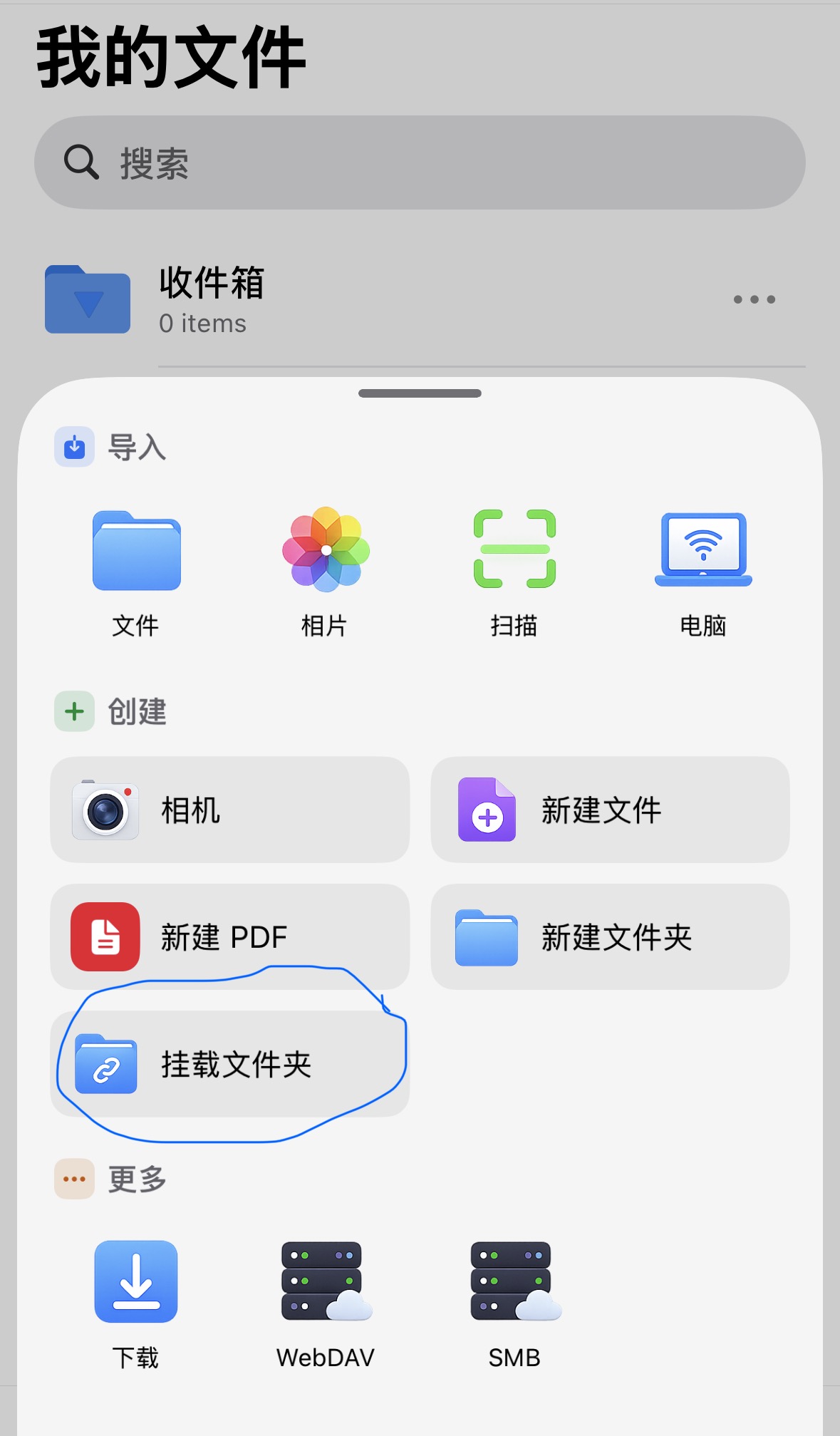
选择Userscripts的主目录, 点右上角打开
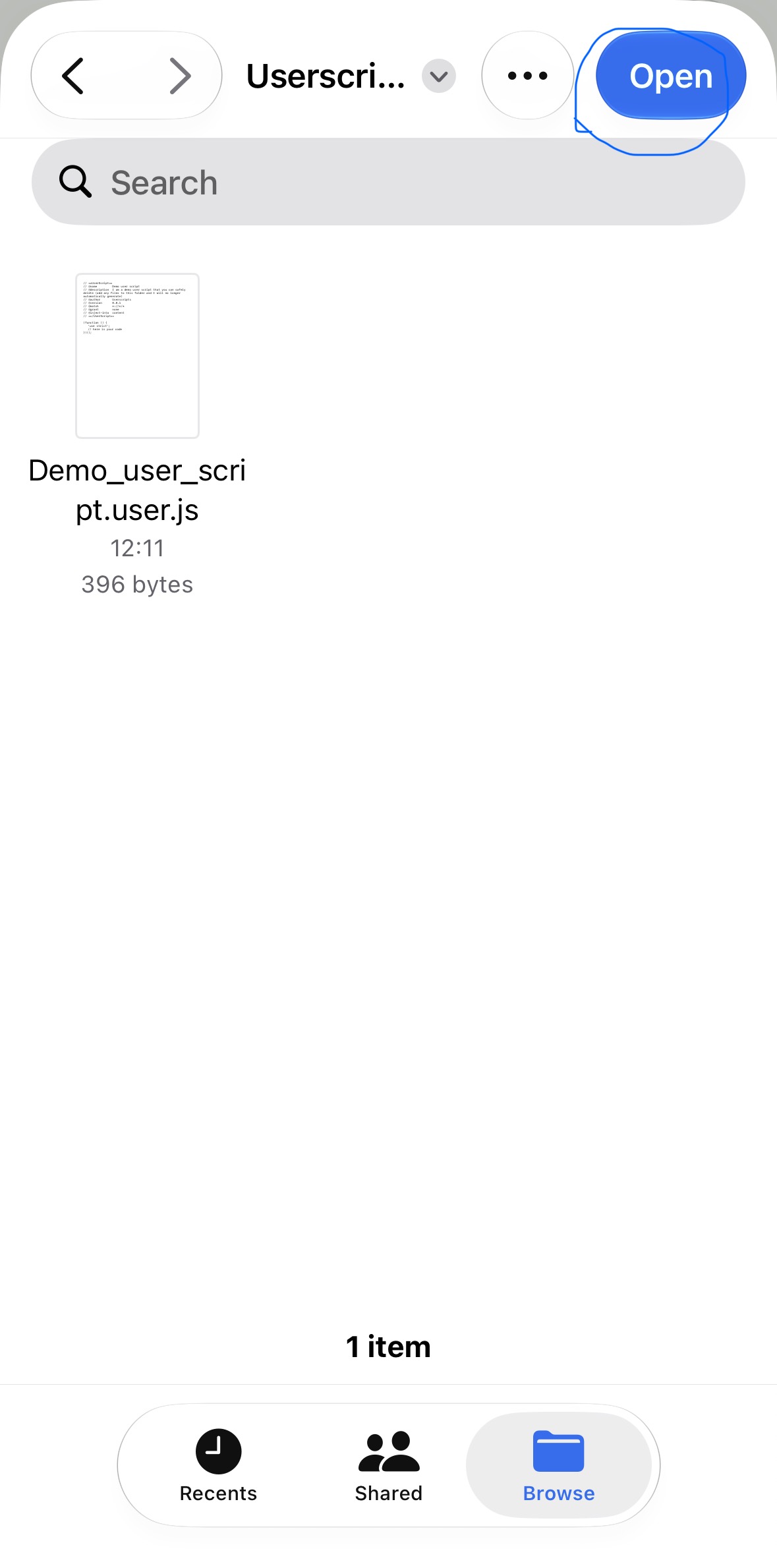
这样便挂载成功了
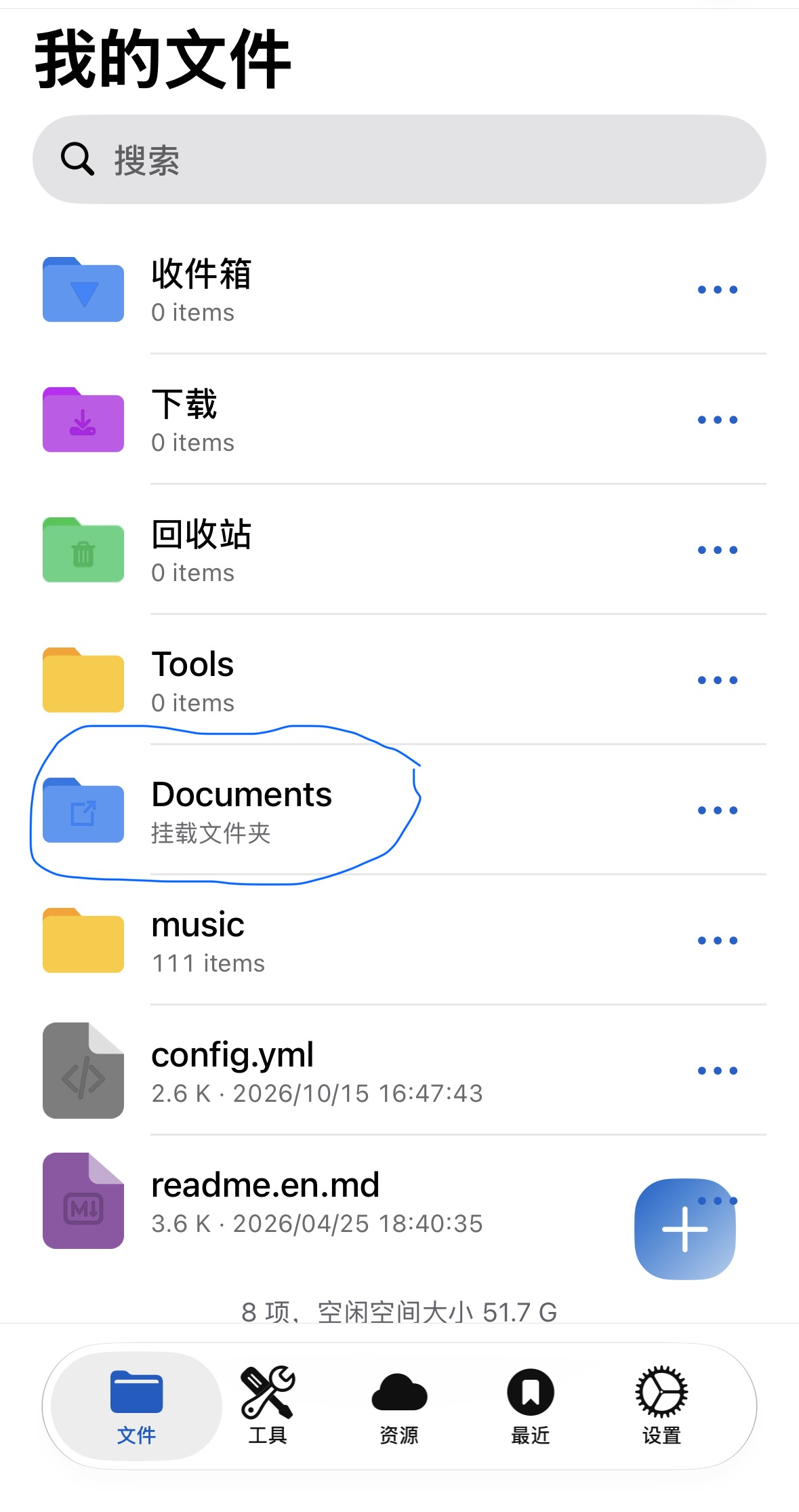
挂载之后就可以直接在Fileso里操作js文件了, 不用每次去自带文件app里找文件
2. 点进挂载的文件夹, 点右下角+号, 新建文件
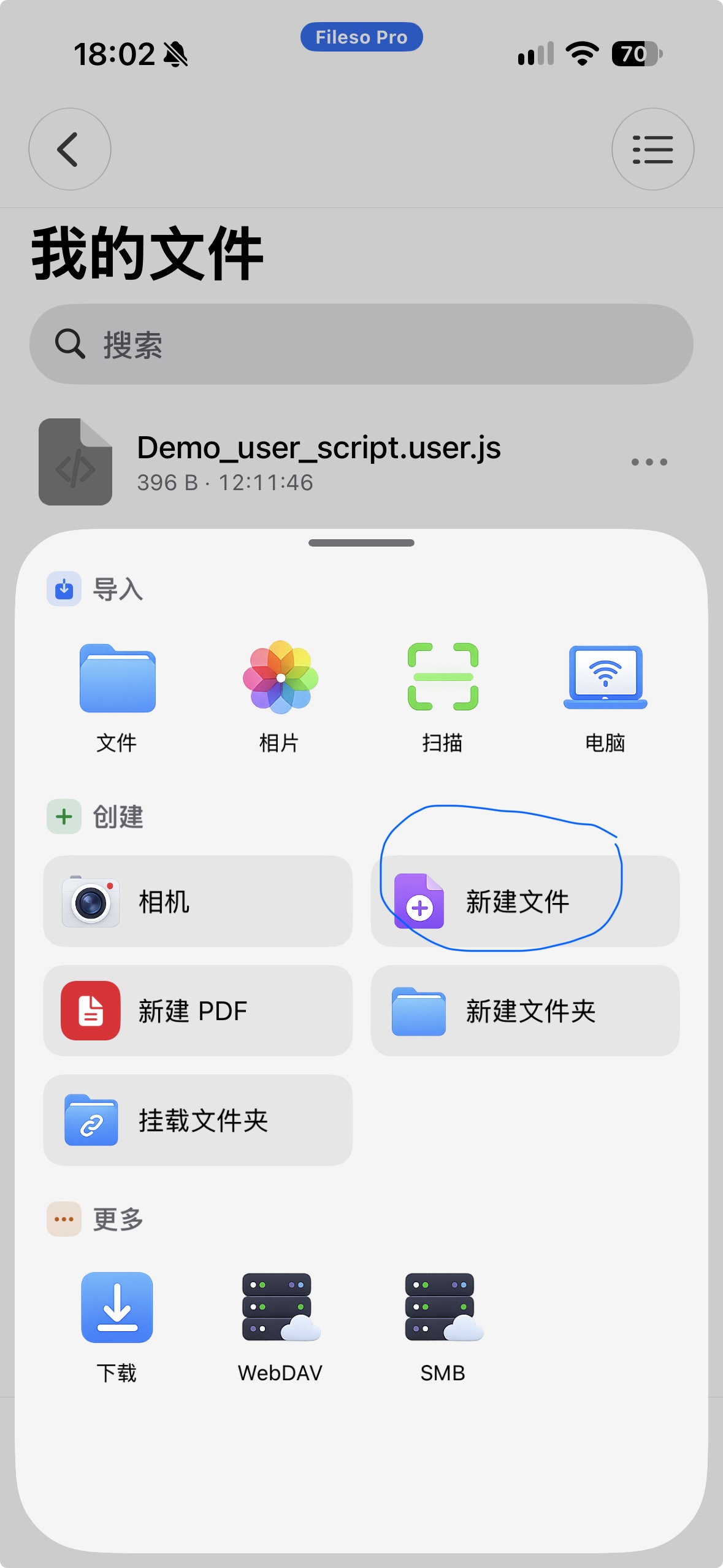
输入文件名的名字随意, 后缀必须是.js, 创建
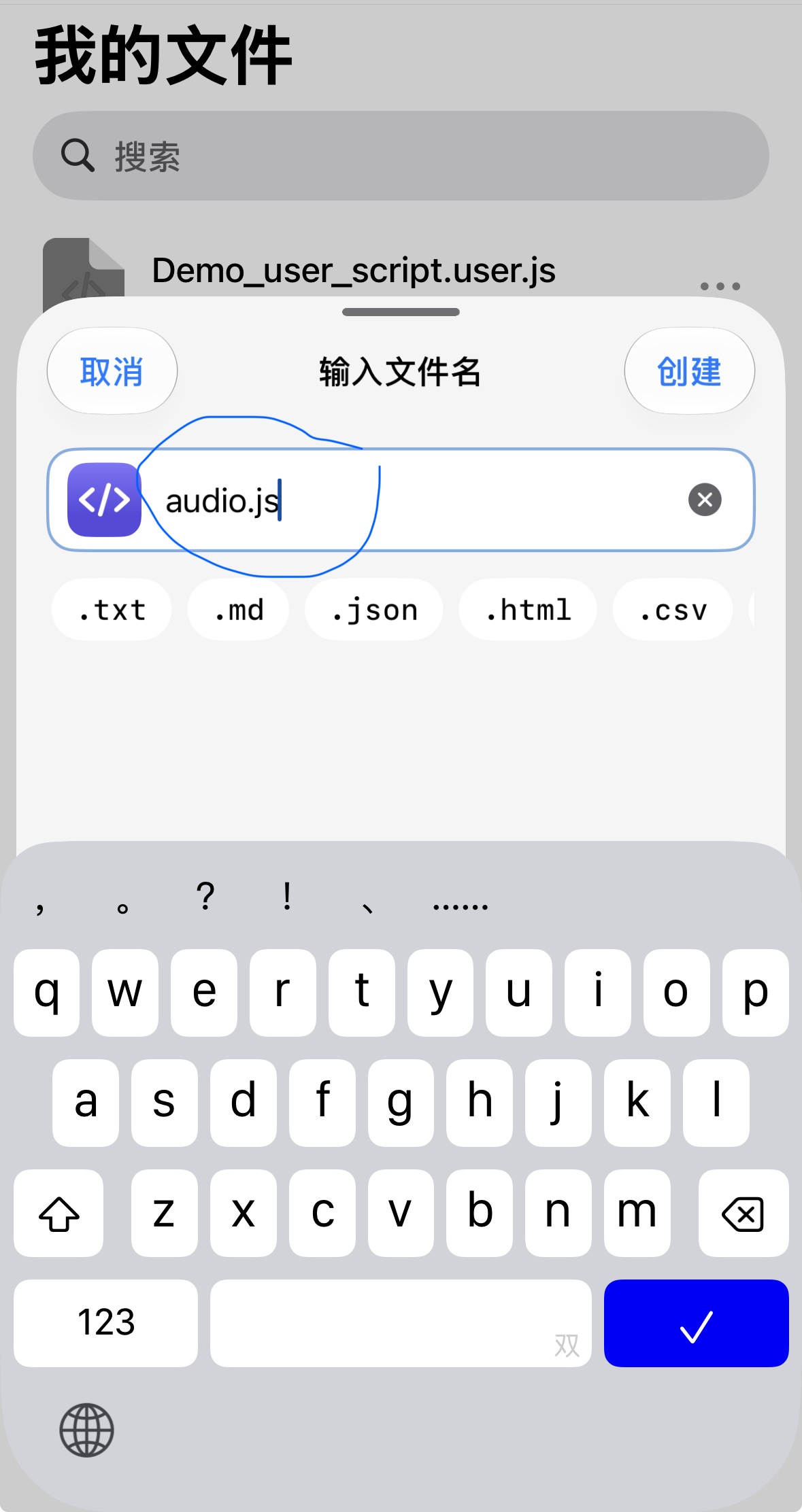
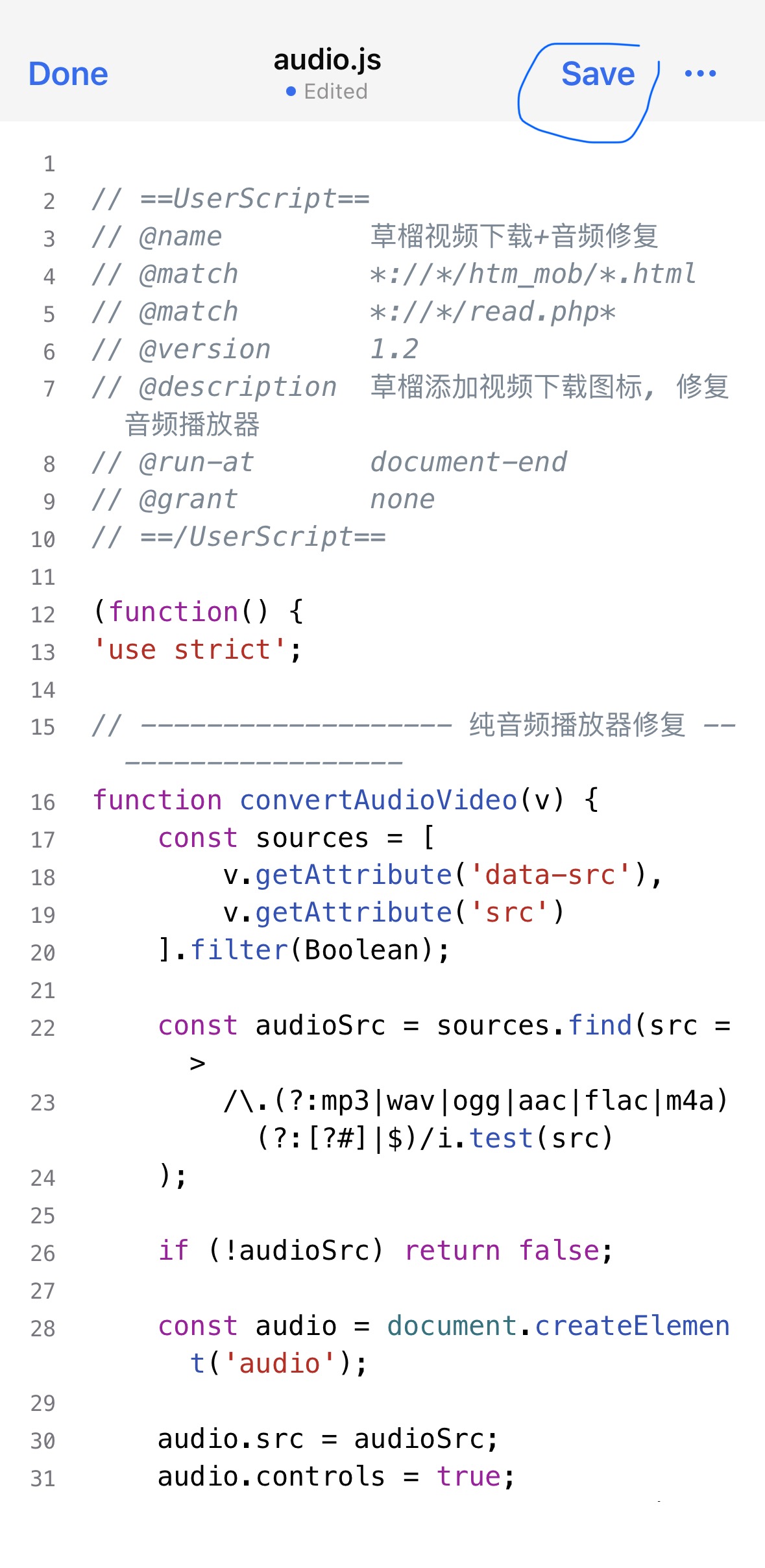
3. 点开刚新建的js文件, 复制粘贴如下代码, 手动在第一行==UserScript==前加//, 保存
- ==UserScript==
- // @name 草榴视频下载+音频修复
- // @match *://*/htm_mob/*.html
- // @match *://*/read.php*
- // @version 1.2
- // @description 草榴添加视频下载图标, 修复音频播放器
- // @run-at document-end
- // @grant none
- // ==/UserScript==
- (function() {
- 'use strict';
- // ------------------- 纯音频播放器修复 -------------------
- function convertAudioVideo(v) {
- const sources = [
- v.getAttribute('data-src'),
- v.getAttribute('src')
- ].filter(Boolean);
- const audioSrc = sources.find(src =>
- /\.(?:mp3|wav|ogg|aac|flac|m4a)(?:[?#]|$)/i.test(src)
- );
- if (!audioSrc) return false;
- const audio = document.createElement('audio');
- audio.src = audioSrc;
- audio.controls = true;
- audio.preload = v.getAttribute('preload') || 'none';
- audio.loop = v.hasAttribute('loop');
- audio.style.cssText = 'width:100%;max-width:100%';
- v.replaceWith(audio);
- return audio;
- }
- // ------------------- 视频下载图标 -------------------
- const addDownloadButton = (v, url) => {
- // 防止重复添加
- if (v.dataset.downloadAdded) return;
- if (!url || !/^https?:\/\/.*/i.test(url)) return;
- const a = document.createElement("a");
- // 直接指向视频地址
- // 保留 href,方便 iOS Safari 长按处理
- a.href = url;
- a.rel = "noopener";
- a.title = "下载视频";
- a.setAttribute("aria-label", "下载视频");
- // 禁止短按,只保留 Safari 原生长按菜单
- a.addEventListener("click", e => {
- e.preventDefault();
- });
- // Safari 风格的下载图标
- // pointer-events: none 让整个触摸区域都落在 <a> 上
- a.innerHTML = `
- <svg
- pointer-events="none"
- viewBox="0 0 24 24"
- width="20"
- height="20"
- fill="none"
- stroke="currentColor"
- stroke-width="2"
- stroke-linecap="round"
- stroke-linejoin="round"
- aria-hidden="true">
- <path d="M12 3v12"></path>
- <path d="m7 10 5 5 5-5"></path>
- <path d="M5 21h14"></path>
- </svg>
- `;
- // 下载图标放在播放器下方,居中
- a.style.display = "inline-flex";
- a.style.alignItems = "center";
- a.style.justifyContent = "center";
- // 实际可点击区域稍大,但视觉上仍只有一个小图标
- a.style.width = "32px";
- a.style.height = "32px";
- // 跟随当前页面文字颜色
- a.style.color = "inherit";
- a.style.textDecoration = "none";
- // 保留 Safari 原生长按行为
- a.style.webkitTouchCallout = "default";
- a.style.userSelect = "none";
- // 图标容器
- const wrap = document.createElement("div");
- wrap.style.display = "flex";
- wrap.style.justifyContent = "center";
- wrap.style.alignItems = "center";
- wrap.style.height = "32px";
- wrap.style.margin = "0";
- wrap.appendChild(a);
- // 放在播放器下方
- if (v.parentNode) {
- v.parentNode.insertBefore(wrap, v.nextSibling);
- }
- v.dataset.downloadAdded = "1";
- };
- // ------------------- 获取视频地址 -------------------
- const getVideoURL = v => {
- const realSrc =
- v.getAttribute('data-src') ||
- v.getAttribute('src') ||
- v.currentSrc;
- if (!realSrc || realSrc.startsWith('data:')) {
- return null;
- }
- return realSrc;
- };
- // ------------------- 统一处理视频和音频 -------------------
- const processVideo = v => {
- // 先尝试转换音频
- const audio = convertAudioVideo(v);
- if (audio) {
- addDownloadButton(audio, audio.src);
- return;
- }
- // 普通视频添加下载图标
- const realSrc = getVideoURL(v);
- if (realSrc) {
- addDownloadButton(v, realSrc);
- }
- };
- // ------------------- 初始化已有视频 -------------------
- document.querySelectorAll("video").forEach(processVideo);
- // ------------------- 动态新增视频节点 -------------------
- new MutationObserver(ms => {
- ms.forEach(m => {
- m.addedNodes.forEach(n => {
- if (n.tagName === "VIDEO") {
- processVideo(n);
- }
- if (n.querySelectorAll) {
- n.querySelectorAll("video").forEach(processVideo);
- }
- });
- });
- }).observe(document.documentElement, {
- childList: true,
- subtree: true
- });
- })();
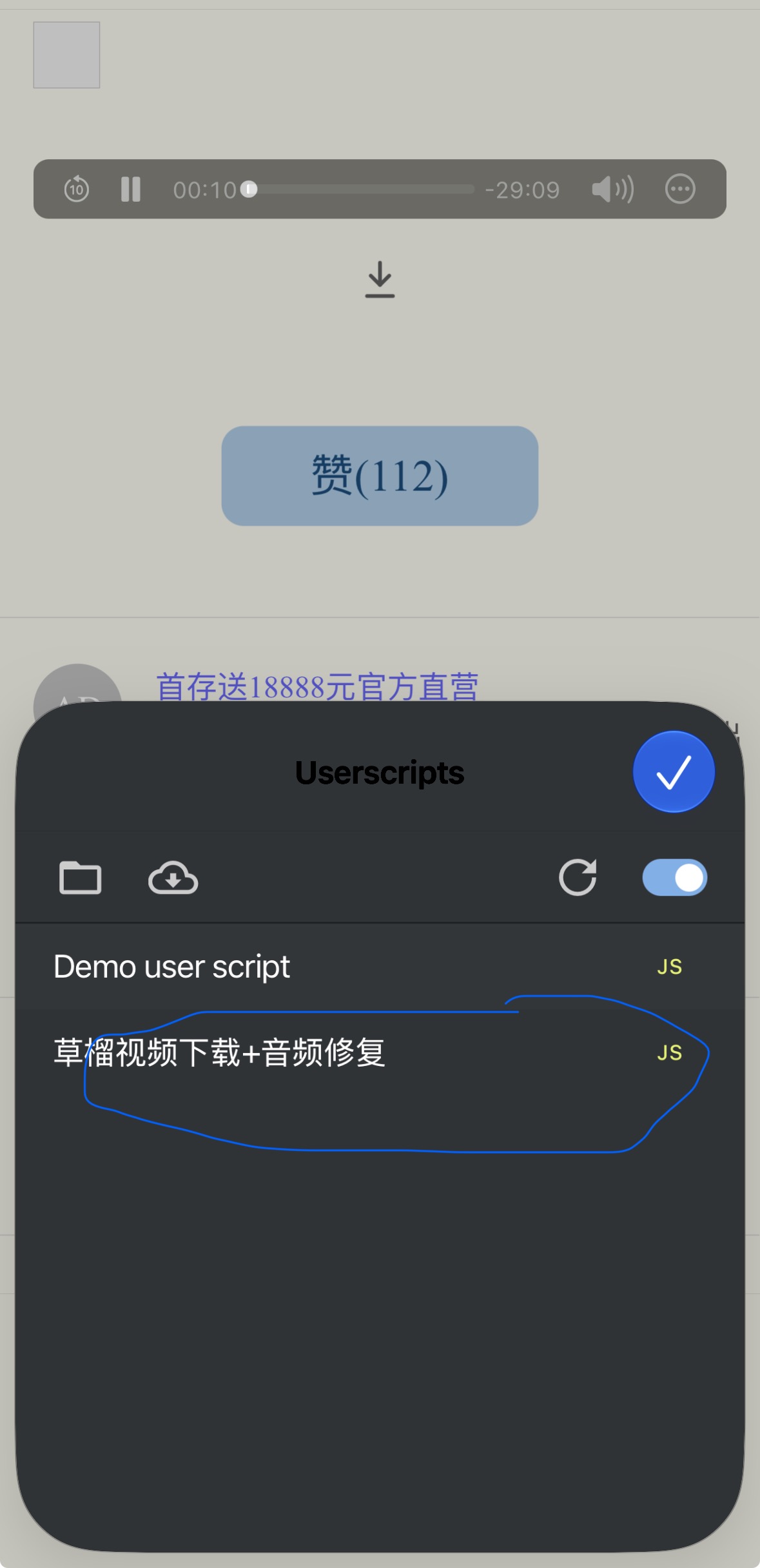
4. 访问
引用 7505732:分享一个漂流瓶认识的少妇和她老公的录音(17.06.04)⑥ 看下页面底部的音频播放器控制条是否变了, 没变的话去扩展里看下是否有这条js: 草榴视频下载+音频修复
赞(2)

